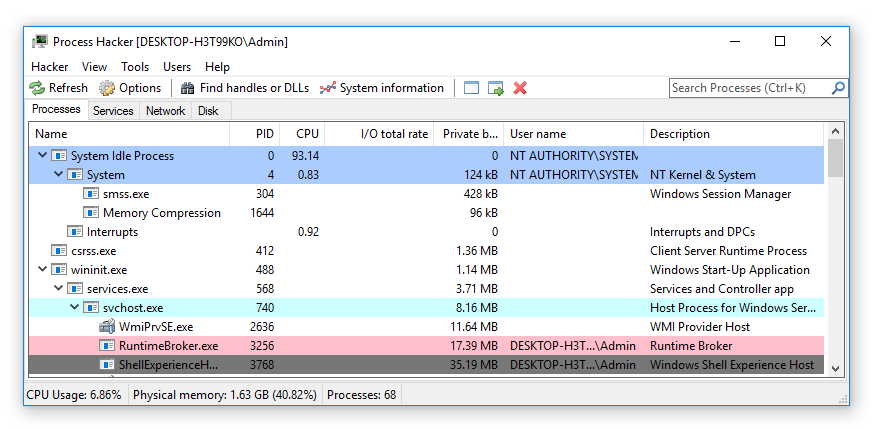
Process Hacker is a free and open source process viewer that helps you monitor system resources, debug software and detect malware. which is a very valuable tool for advanced users, It can help them to troubleshoot problems or learn more about specific processes that are running on a certain system. It can help identify malicious processes and tell us more about what they are trying to do.
System requirements: Windows 7 or higher, 32-bit or 64-bit.
Features A detailed overview of system activity with highlighting. Graphs and statistics allow you quickly to track down resource hogs and runaway processes. Can't edit or delete a file? Discover which processes are using that file. See what programs have active network connections, and close them if necessary. Get real-time information on disk access. View detailed stack traces with kernel-mode, WOW64 and .NET support. Go beyond services.msc: create, edit and control services. Small, portable and no installation required. 100% Free Software (GPL v3)
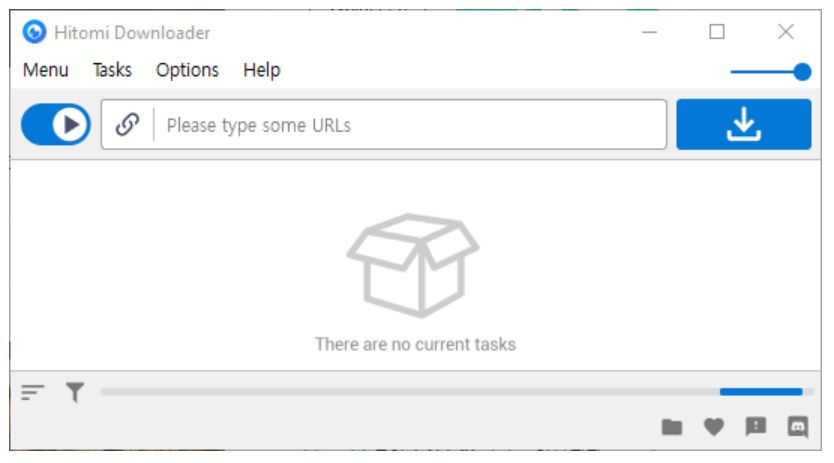
Hitomi Downloader is a free yt-dlp based (based on youtube dl) online video downloader that also inherits parsing support for 1200 more online video sites with a simple GUI that is ready to use. It even supports M3U8, BT seeds and magnetic links.
Features
🍰 Simple and clear user interface 🚀 Download acceleration 💻 Supports 24 threads in a single task 🚥 Supports speed limit 📜 Supports user scripts 🧲 Supports BitTorrent & Magnet 🎞️ Supports M3U8 & MPD format videos 🌙 Dark mode 🧳 Portable 📋 Clipboard monitor 🗃️ Easy to organize tasks
AltBacktickis a small Windows program that runs in background and allows to switch between windows of the same program using the keyboard shortcutALT+`.
The key ` (backtick) is above the TAB key on QWERTY keyboard but even if your keyboard is not QWERTY, the shortcut will be mapped to the key above the TAB key.
DevToys is a collection of developer tools, which can be called the Swiss Army Knife of developers, which integrates many features that developers will use in their daily work. It also organizes these features into categories so you can quickly find and use them to improve your productivity.
Prerequisite: You need Windows 10 build 1903+ or later.
DevToys helps in daily tasks like formatting JSON, comparing text, testing RegExp. No need to use many untruthful websites to do simple tasks with your data. With Smart Detection, DevToys is able to detect the best tool that can treat the data you copied in the clipboard of your Windows. Compact overlay lets you keep the app in small and on top of other windows. Multiple instances of the app can be used at once.
Many tools are available.
Converters
JSON <> YAML
Number Base
Encoders / Decoders
HTML
URL
Base64
GZip
JWT Decoder
Formatters
JSON
SQL
XML
Generators
Hash (MD5, SHA1, SHA256, SHA512)
UUID 1 and 4
Lorem Ipsum
Checksum
Text
Inspector & Case Converter
Regex Tester
Text Comparer
Markdown Preview
Graphic
Color Blindness Simulator
PNG / JPEG Compressor
Image Converter
... and more are coming!
For more information, please refer to the official website or Github.
Currently supports Chrome, Firefox, Edge and some other browsers.
Starting December 13th 2021, YouTube removed the ability to see dislikes from their API.
This extension aims to restore power to users by using a combination of archived like and dislike data, as well as the likes and dislikes made by extension users to show the most accurate ratings.

Currently has 200+ million videos likes/dislikes data stored before December 13th, 2021

Actively growing and keeping up to date with uploads after December 13th, 2021

The more users that use the extension, the more accurate it will be

Unpopular videos uploaded after December 13th, 2021 may have less accurate data shown than more popular videos.

This extension is currently in an active development phase, so if you experience any issues, don’t hesitate to report them on our GitHub page or in our Discord server.
You can choose the version you want to install on the official website:
The following detailed introduction is released by the developer:
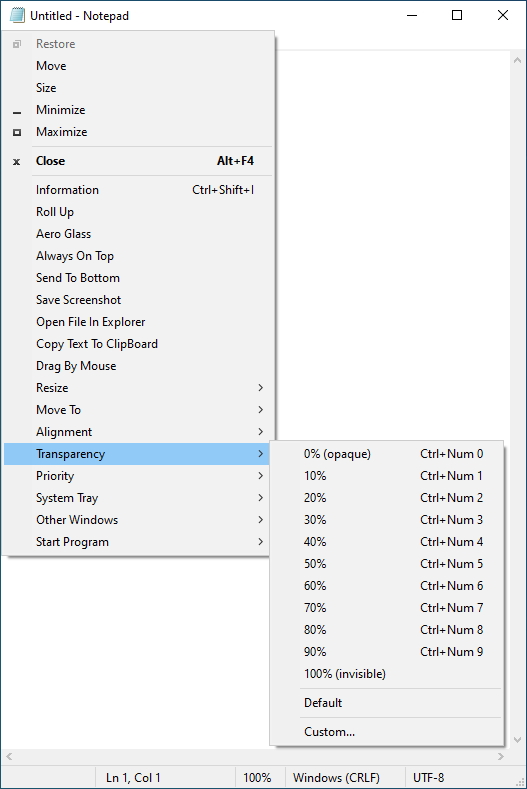
SmartSystemMenu extends system menu of all windows in the system. It appends next custom items to menu:
Information.Shows a dialog with information of the current window and process: the window handle, the window caption, the window style, the window class, the process name, the process id, the path to the process.
Roll Up.Allows to roll up and down the current window.
Aero Glass.Allows to add the "Aero Glass" blur to the current window. (Windows Vista and higher. Mostly for console windows.)
Always On Top.Allows the current window to stay on top of all other windows.
Send To Bottom.Allows to send to bottom the current window.
Save Screenshot.Allows to save the current window screenshot in a file.
Open File In Explorer.Allows to open a process file in a File Explorer.
Drag By Mouse.Allows to drag by mouse the current window.
Resize.Allows to change the size of the current window.
Move To.Allows to move the current window to another monitor.
Alignment.Allows the current window to be aligned with any of the 9 positions on the desktop.
Transparency.Allows to change the transparency of the current window.
Priority.Allows to change the current window's program priority.
Clipboard.Allows to copy all window texts (including console, ms office products, etc.) to clipboard and clear clipboard.
System Tray.Allows to minimize or suspend the current window to the system tray.
Other Windows.Allows to close and minimize all windows in the system except the current.
Start Program.Allows to start programs which is in the settings.